

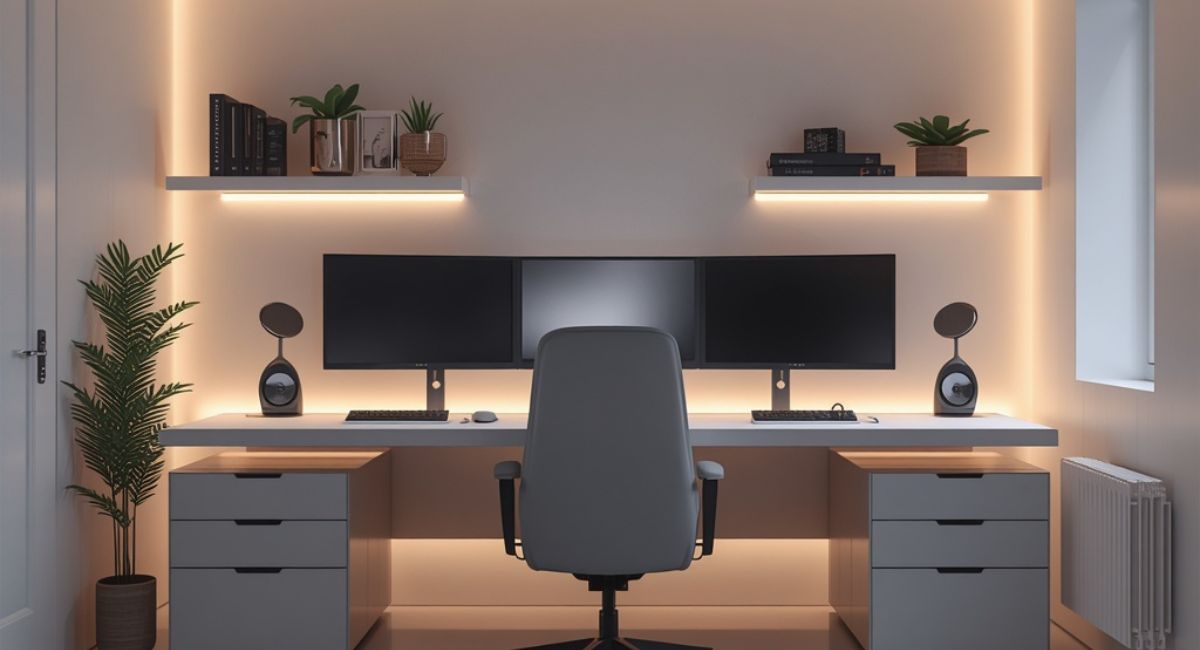
The rise of remote work, freelancing, online businesses, and digital entrepreneurship has transformed the way people work. Today, your home office is more than just a place to answer emails—it’s your productivity headquarters, creative studio, meeting room, and business command center.
Yet many professionals struggle with distractions, poor ergonomics, clutter, and lack of motivation because their workspace wasn’t designed for success.
A well-designed home office can significantly improve focus, creativity, efficiency, and overall well-being. Whether you’re a remote employee, entrepreneur, content creator, student, or freelancer, creating the right environment can help you produce better work while reducing stress and fatigue.
In this guide, you’ll learn how to build a home office that supports deep focus, encourages creativity, and helps you perform at your best every day.
Why Your Home Office Matters
Your environment influences how you think, feel, and work.
Research in workplace psychology suggests that factors such as lighting, organization, comfort, noise levels, and workspace design directly affect productivity and cognitive performance.
A poorly designed workspace can lead to:
- Reduced focus
- Mental fatigue
- Increased stress
- Physical discomfort
- Lower motivation
On the other hand, a thoughtfully designed office creates conditions that help you stay engaged, organized, and productive.
Think of your workspace as an investment in your professional success.
Step 1: Choose the Right Location
The foundation of a productive home office begins with selecting the right space.
Many people work from kitchen tables, couches, or bedrooms, but dedicated workspaces generally lead to better focus and fewer distractions.
What to Look For
- Natural lighting
- Quiet surroundings
- Reliable internet connection
- Adequate ventilation
- Enough room for essential equipment
If you don’t have a separate room, consider creating a designated work zone that mentally separates work from personal life.
The goal is to establish a space where your brain associates the environment with productivity.
Step 2: Invest in an Ergonomic Desk and Chair
Comfort directly impacts performance.
Poor posture can cause:
- Neck pain
- Back pain
- Wrist strain
- Fatigue
- Reduced concentration
Since most professionals spend several hours at their desks daily, ergonomic furniture should be a priority.
Choosing the Right Desk
Look for:
- Sufficient workspace
- Durable construction
- Adjustable height if possible
- Cable management options
Standing desks have become increasingly popular because they encourage movement throughout the day.
Choosing the Right Chair
An ergonomic chair should provide:
- Lumbar support
- Adjustable height
- Armrest support
- Comfortable cushioning
- Proper posture alignment
A quality chair is one of the most valuable productivity investments you can make.
Step 3: Optimize Lighting for Maximum Productivity
Lighting affects everything from mood and energy levels to concentration and eye comfort.
Prioritize Natural Light
Natural sunlight offers several benefits:
- Improved alertness
- Better mood
- Reduced eye strain
- Increased productivity
Position your desk near a window whenever possible.
Avoid placing screens directly in front of bright windows, which can cause glare.
Add Task Lighting
A desk lamp helps improve visibility during evening work sessions.
Choose LED lighting that mimics natural daylight for optimal comfort.
Use Ambient Lighting
Soft ambient lighting creates a comfortable atmosphere and reduces harsh contrasts that strain the eyes.
Step 4: Create a Distraction-Free Environment
One of the biggest challenges of working from home is managing distractions.
Potential interruptions include:
- Television
- Household noise
- Social media
- Family activities
- Smartphone notifications
Strategies for Better Focus
- Silence unnecessary notifications
- Use noise-canceling headphones
- Set clear work hours
- Keep entertainment devices away from your workspace
- Establish boundaries with family members
A distraction-free environment allows for deeper concentration and higher-quality work.
Step 5: Organize Your Workspace
Clutter creates visual noise that competes for attention.
Research suggests that organized workspaces improve focus and reduce stress.
Essential Organization Tips
Keep Only Essentials on Your Desk
Limit desk items to:
- Computer
- Notebook
- Water bottle
- Frequently used tools
Use Storage Solutions
Organize supplies with:
- Desk drawers
- Shelving units
- Storage boxes
- Filing systems
Manage Cables
Cable clutter can quickly make a workspace feel chaotic.
Use:
- Cable clips
- Cable sleeves
- Under-desk cable trays
An organized workspace supports an organized mind.
Step 6: Upgrade Your Technology
The right technology can streamline workflows and eliminate daily frustrations.
Essential Home Office Technology
High-Performance Computer
Your computer should match your workload requirements.
Professionals working with design, video editing, programming, or data analysis may need more powerful hardware.
External Monitor
Additional screen space improves productivity by reducing constant window switching.
Benefits include:
- Better multitasking
- Easier content creation
- Improved workflow efficiency
Docking Station
A docking station simplifies connectivity and creates a cleaner workstation.
Wireless Keyboard and Mouse
Wireless accessories reduce cable clutter and provide greater flexibility.
Step 7: Incorporate Plants and Natural Elements
Biophilic design focuses on integrating nature into indoor environments.
Research suggests that natural elements can improve:
- Mood
- Creativity
- Concentration
- Stress management
Popular Home Office Plants
- Snake Plant
- Pothos
- ZZ Plant
- Peace Lily
- Spider Plant
Even a small plant can make your workspace feel more inviting and refreshing.
Step 8: Personalize Your Workspace
A productive workspace should also feel inspiring.
Personalization creates a stronger emotional connection to your environment.
Ideas for Personalization
- Inspirational quotes
- Artwork
- Vision boards
- Awards and achievements
- Family photos
- Decorative accessories
Avoid excessive decoration that creates visual distractions.
The goal is inspiration, not clutter.
Step 9: Design for Creativity
Creativity thrives in environments that encourage exploration and idea generation.
Creativity-Boosting Strategies
Keep a Notebook Nearby
Many great ideas appear unexpectedly.
A notebook allows you to capture thoughts immediately.
Create Whiteboard Space
Whiteboards are excellent for:
- Brainstorming
- Project planning
- Mind mapping
- Goal tracking
Add Creative Stimuli
Books, artwork, design inspiration, and personal projects can stimulate new ideas.
Creative work benefits from environments that feel engaging and dynamic.
Step 10: Improve Air Quality and Comfort
Comfort influences performance.
Poor air quality can contribute to:
- Fatigue
- Headaches
- Reduced concentration
Improve Comfort with:
- Air purifiers
- Proper ventilation
- Humidifiers
- Comfortable room temperatures
A comfortable environment allows you to focus on work rather than physical discomfort.
Step 11: Create Productivity Zones
If space allows, separate different activities into dedicated zones.
Examples
Focus Zone
For deep work and important tasks.
Meeting Zone
For video calls and collaboration.
Reading Zone
For learning, planning, and research.
Distinct zones help your brain transition between different work modes more effectively.
Step 12: Use Smart Productivity Tools
Modern technology offers many tools that support efficient work habits.
Useful Productivity Tools
- Smart desk lighting
- Focus timers
- Digital planners
- Task management software
- Smart speakers
- Wireless charging stations
Technology should simplify work, not complicate it.
Choose tools that solve specific problems.
Home Office Setup Checklist
Use this checklist when designing your workspace:
✓ Dedicated workspace
✓ Ergonomic chair
✓ Comfortable desk
✓ Proper monitor placement
✓ Natural lighting
✓ Desk lamp
✓ Organized storage
✓ Cable management
✓ Reliable internet
✓ Noise reduction solutions
✓ Indoor plants
✓ Productivity tools
✓ Personal inspiration elements
✓ Comfortable temperature
✓ External monitor
Common Home Office Mistakes to Avoid
Working from Bed
This reduces productivity and blurs the boundary between work and rest.
Ignoring Ergonomics
Poor posture leads to long-term discomfort and reduced efficiency.
Too Much Clutter
Clutter creates unnecessary mental distractions.
Poor Lighting
Insufficient lighting contributes to eye strain and fatigue.
Overloading the Workspace
Too many gadgets and decorations can overwhelm the environment.
Simplicity often leads to better focus.
Home Office Trends for 2026
Modern workspaces continue evolving.
Popular trends include:
- Smart standing desks
- AI productivity assistants
- Minimalist desk setups
- Smart lighting systems
- Sustainable office furniture
- Wireless workstations
- Wellness-focused designs
- Hybrid work technology
The future home office prioritizes both productivity and well-being.
Final Thoughts
Creating an effective home office isn’t about purchasing expensive furniture or filling your desk with gadgets. It’s about designing an environment that supports focus, creativity, comfort, and efficiency.
The best home offices combine ergonomic furniture, proper lighting, thoughtful organization, modern technology, and personal inspiration. Small improvements—such as better lighting, improved organization, or a more comfortable chair—can significantly enhance your daily work experience.
Whether you’re building a new workspace or upgrading your current setup, investing in your home office is ultimately an investment in your productivity, professional growth, and long-term success.
Your environment shapes your habits, and your habits shape your results. Create a workspace that helps you do your best work every day.
