

Introduction
Whether you work from home, run an online business, study, or create digital content, your desk setup plays a major role in your daily productivity. A well-designed workspace doesn’t just look good—it helps you stay focused, organized, and motivated throughout the day.
This Ultimate Desk Setup Planner will help you design the perfect workspace that balances comfort, functionality, technology, and aesthetics. From choosing the right desk and chair to selecting smart gadgets and organization tools, this guide covers everything you need to build your dream workstation.
Why Your Desk Setup Matters
Your workspace influences how you think, work, and perform. An optimized desk setup can:
- Improve focus and concentration
- Reduce physical strain and fatigue
- Increase productivity
- Enhance creativity
- Create a professional environment
- Support better posture and health
Whether you’re a remote worker, entrepreneur, student, or gamer, investing in your workspace can deliver long-term benefits.
Step 1: Define Your Workspace Goals
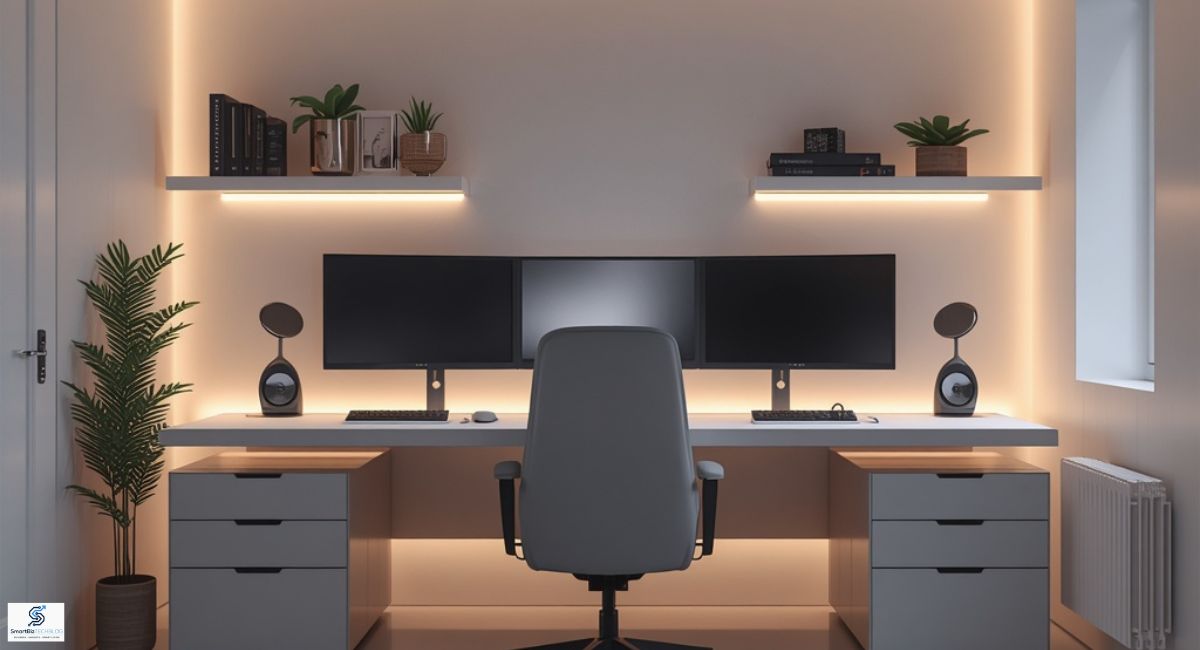
Before purchasing furniture or gadgets, identify how you’ll primarily use your desk.
For Remote Workers
- Video meetings
- Document management
- Email communication
- Project collaboration
For Entrepreneurs
- Business management
- Marketing tasks
- Research and planning
- Financial tracking
For Creators
- Photo editing
- Video production
- Graphic design
- Content creation
For Students
- Online learning
- Research
- Writing assignments
- Exam preparation
Understanding your needs helps you choose the right equipment and avoid unnecessary purchases.
Step 2: Choose the Right Desk
Your desk serves as the foundation of your workspace.
Standard Office Desk
Best for general productivity and office work.
Standing Desk
Allows users to alternate between sitting and standing, helping reduce sedentary behavior.
L-Shaped Desk
Ideal for multitasking and multiple monitors.
Minimalist Desk
Perfect for modern workspaces focused on simplicity and organization.
Desk Size Checklist
Consider:
- Available room space
- Number of monitors
- Laptop or desktop requirements
- Storage needs
- Future upgrades
A clutter-free desk provides more room for efficient work.
Step 3: Invest in an Ergonomic Chair
Many professionals spend 6–10 hours daily at their desks. A quality ergonomic chair can improve comfort and reduce back pain.
Look for:
- Adjustable height
- Lumbar support
- Adjustable armrests
- Breathable materials
- Headrest support
Remember: comfort directly impacts productivity.
Step 4: Select the Perfect Monitor Setup
Single Monitor Setup
Suitable for basic office tasks and students.
Dual Monitor Setup
Excellent for multitasking and business professionals.
Ultrawide Monitor Setup
Ideal for creators, programmers, and productivity enthusiasts.
Monitor Placement Tips
- Keep the top of the screen at eye level.
- Maintain an arm’s-length distance.
- Use monitor arms to free desk space.
Step 5: Upgrade Your Keyboard and Mouse
Input devices are often overlooked but heavily used.
Mechanical Keyboards
- Better typing experience
- Enhanced durability
- Faster response times
Ergonomic Mice
- Reduce wrist strain
- Improve precision
- Increase comfort during long work sessions
Choose devices that match your workflow and personal preferences.
Step 6: Optimize Desk Lighting
Proper lighting reduces eye strain and improves focus.
Recommended Lighting Sources
- Natural daylight
- LED desk lamps
- Monitor light bars
- Ambient lighting
Lighting Tips
- Avoid screen glare.
- Position light sources beside your monitor.
- Use warm lighting for evening work.
Balanced lighting creates a comfortable work environment.
Step 7: Smart Cable Management
Messy cables make even expensive setups look disorganized.
Cable Management Essentials
- Cable trays
- Velcro straps
- Cable sleeves
- Under-desk organizers
- Wireless accessories
A clean workspace improves aesthetics and efficiency.
Step 8: Essential Productivity Accessories
Desk Organizer
Keeps everyday items within reach.
Monitor Stand
Improves viewing angle and adds storage.
Laptop Stand
Enhances airflow and ergonomics.
Wireless Charger
Reduces cable clutter.
USB Hub
Expands connectivity options.
Desk Mat
Protects surfaces and creates a polished appearance.
Small accessories often deliver the biggest productivity improvements.
Step 9: Add Smart Office Gadgets
Modern technology can transform your workspace.
Popular smart desk gadgets include:
- Smart desk lamps
- Wireless charging stations
- Smart speakers
- Noise-canceling headphones
- Digital clocks
- Air quality monitors
- Smart plugs
These devices improve convenience and streamline daily tasks.
Step 10: Create an Inspiring Environment
Your workspace should motivate you.
Consider adding:
- Indoor plants
- Motivational artwork
- Vision boards
- Minimalist decor
- Personal achievements
- Bookshelves
A visually appealing workspace can boost creativity and maintain motivation.
Ultimate Desk Setup Checklist
Furniture
✔ Desk
✔ Ergonomic chair
✔ Monitor stand
Technology
✔ Laptop or desktop
✔ Monitor
✔ Keyboard
✔ Mouse
✔ Webcam
✔ Headphones
Organization
✔ Desk organizer
✔ Cable management accessories
✔ Storage solutions
Lighting
✔ Desk lamp
✔ Ambient lighting
Productivity Tools
✔ Notebook
✔ Planner
✔ Wireless charger
✔ USB hub
Personal Touches
✔ Plants
✔ Artwork
✔ Decorative items
Common Desk Setup Mistakes to Avoid
Buying Cheap Furniture
Low-quality furniture often leads to discomfort and frequent replacement.
Ignoring Ergonomics
Poor posture can cause long-term health issues.
Overcrowding the Desk
Too many gadgets create distractions.
Poor Cable Management
Visible wires reduce workspace appeal.
Inadequate Lighting
Eye strain can negatively impact productivity.
Avoiding these mistakes will help you build a workspace that remains effective for years.
Future Trends in Desk Setups
Workspace design continues evolving with technology.
Emerging trends include:
- AI-powered productivity tools
- Smart standing desks
- Wireless workstations
- Sustainable office furniture
- Minimalist workspace designs
- Smart home office automation
Professionals are increasingly focusing on workspaces that blend technology, comfort, and wellness.
Final Thoughts
Building the perfect desk setup isn’t about purchasing the most expensive equipment. It’s about creating a workspace that supports your goals, improves productivity, and makes work more enjoyable.
Start with the essentials—an ergonomic chair, functional desk, proper lighting, and organized workspace. Then gradually upgrade with smart gadgets and accessories that align with your workflow.
A thoughtfully planned desk setup can transform the way you work, helping you stay focused, comfortable, and inspired every day.https://www.google.com/
